
Kandinsky 3.0 Logo Generator
Unleash creative fusion: The AI model designed for high-quality, abstract, and photorealistic logo synthesis with advanced inpainting and image editing capabilities.
The Kandinsky Edge: Advanced Multimodal Editing
 Image Fusion: Combine two distinct images or concepts (e.g., a logo shape + a texture image) based on a text prompt to create novel, blended logo designs.
- Inpainting / Outpainting: Easily mask specific areas of your generated logo to add or replace elements (Inpainting), (Outpainting)
- Enhanced Text Understanding: Leverages a significantly larger text encoder to better interpret long, complex, and abstract text prompts, delivering higher fidelity to your artistic vision.
- Unique Artistic Range: Trained on a rich, diverse dataset, including elements of Russian culture and abstract art, enabling the generation of truly unique and stylized graphics.

Get Inspired: Logo Concepts That Break the Mold



How to Use Kandinsky for Creative Logo Manipulation
- Step 1Base GenerationCreate a simple logo concept using a text prompt (T2I) or upload a reference sketch (I2I)。
- Step 2Fusion or Inpainting- <b>For Fusion</b>: Upload a second image (e.g., a specific texture or pattern) and use a simple prompt to blend the two inputs.\n- <b>For Inpainting</b>: Use the mask tool to select the area to edit, then input a new prompt (e.g., 'replace with gold liquid').
- Step 3RefinementUtilize the Negative Prompt field to exclude unwanted elements or colors, focusing on cleaner final output.
- Step 4Generate VariationsUse the 'Image Variations' feature to explore subtle changes in color palette or composition while maintaining the core concept。

Ideal Use Cases for the Kandinsky Model
Conceptual Art & Abstract Branding
Designers working on brands that require highly artistic, abstract, or culturally specific (Russian/Eastern European inspired) visuals.
Creative Content Remixing
Users looking to combine the aesthetic of one image with the structure or subject of another image (Image Fusion) for a logo concept that feels entirely new.
Advanced Prototyping
Designers who need to quickly add, remove, or change parts of a logo concept without starting over (Inpainting/Outpainting)。
Unveiling the Top 10 Beauty Brand Logos of 2024
The beauty industry in the United States continues to thrive, with a projected global market size of US$648.60 billion in 2024. This immense growth highlights the importance of brand logos in the beauty sector. Logos serve as the face of a brand, playing a crucial role in building recognition and trust. In 2024, visual identity becomes even more vital as brands strive to stand out. Design trends evolve, reflecting the dynamic nature of the industry. A well-crafted beauty brand logo not only captures attention but also conveys the brand’s essence and values.

Top 11 AILogoGenerators You Need to Try in 2024
AI is revolutionizing logo design, making it more accessible and efficient. In 2024, AI-generated logos are a game-changer for businesses. You can create stunning website logos without breaking the bank or spending hours on design. These tools offer impressive brand visuals with ease. Expect to discover top-notch options that simplify the process and save you time and money.

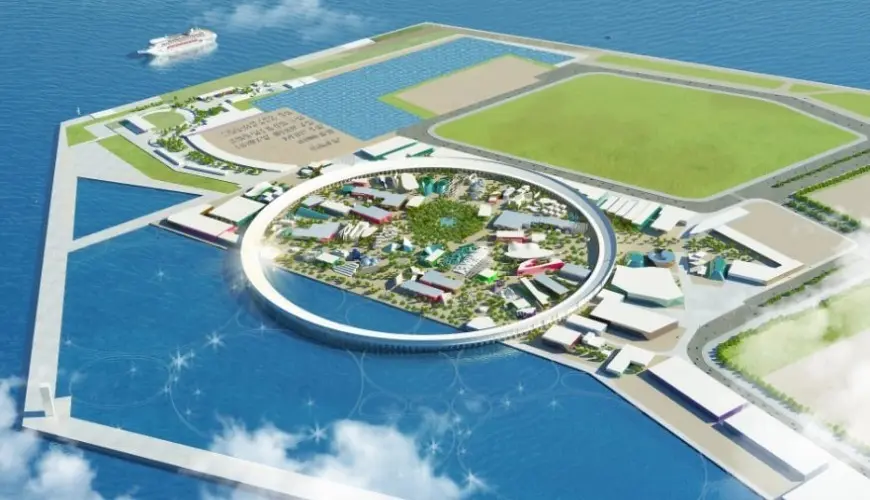
Complete Guide to the 2025 Osaka World Expo: Timings, Transportation, Exhibition Halls, Mascot
The Osaka Expo is one of Japan’s world-renowned major events. The first Expo held in Osaka in 1970 was a perfect opportunity for Japan, which had achieved economic growth, to showcase its presence to the world. The theme was “Progress and Harmony of Mankind,” and countries from around the globe exhibited the latest technology and culture, attracting a large crowd. The Expo at that time portrayed a very bright future, symbolic of Japan’s high economic growth period.
Not the Style You Want? Explore Our Other AI Models
Frequently Asked Questions (FAQ)
What are the core capabilities of the Kandinsky model?
It is a large Latent Diffusion model series specializing in Image Fusion/Mixing, Image-to-Image transformation, Inpainting (partial editing), Outpainting (extending), and achieving precise control via ControlNet.How does Kandinsky assist with image editing?
Its Inpainting mode intelligently fills in masked or missing areas of an image based on a text prompt, seamlessly blending the new content with the surrounding visual context.What improvements did Kandinsky 3.0 introduce?
Kandinsky 3.0 features a significantly larger U-Net backbone and a larger Text Encoder, focusing on generating higher quality and more realistic images, and simplifying the architecture by removing diffusion mapping.