AI Tools
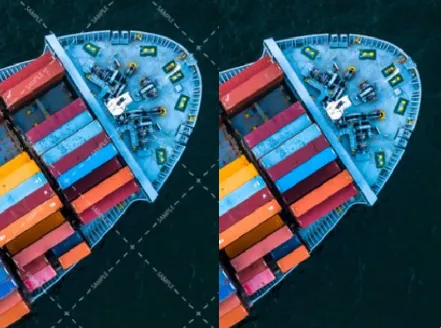
AI Watermark Removal Tool Generator
Remove intrusive logos fast with Watermark Removal Tool AI Tools for clean brand-ready images.
A lightweight suite for high-quality batch watermark elimination and lossless image restoration.

Real-World Applications
From solo creators to global teams, make visuals ready for any channel.
E-commerce Brands
Remove logos and tags to meet marketplace image rules and present consistent product shots.
Photographers and Studios
Clean proofs and client galleries quickly so you can focus on shoots and client relationships.
Marketing Teams
Prepare ads, banners, and social posts with clean imagery that converts better and looks professional.
Why Teams Choose Our Image Clean-Up Engine
Turn cluttered visuals into polished assets without a Photoshop learning curve.
Pixel-Perfect Background Recovery
Recover surrounding pixels so removed areas blend naturally. Your images keep depth and realistic shadows.
Batch Processing for Speed
Process hundreds of images in one go to meet tight deadlines. You free up hours every week for creative work.
Lossless Quality Preservation
Maintain original resolution and sharpness through intelligent reconstruction. Your prints and zoomed assets stay crisp.
Smart Context-Aware Removal
The algorithm reads surrounding texture to avoid smudges and artifacts. You get seamless results on complex backgrounds.
Seamless Watermark Removal Tool AI Tools Integration
Integrate with your uploader or DAM to automate cleanups. Your pipeline stays smooth and predictable.
Privacy-Safe Local Processing
Option to run locally so sensitive images never leave your environment. You control where assets are processed and stored.
How Can You Remove Watermarks and Preserve Image Quality?
Your three-step path to spotless visuals, from upload to export.
- Step 1
Upload Your Images
You drag and drop files or connect your gallery and the tool analyzes content instantly.
- Step 2
Mark Areas to Clean
You highlight logos or stamps with a simple brush and preview intelligent fills before confirming.
- Step 3
Export Polished Assets
You choose format and resolution, then download or push to your storage for immediate use.
Frequently Asked Questions
Is it safe to remove logos from images I own?
Will removing a watermark reduce image quality?
Can I automate watermark removal for thousands of files?
What export formats are supported after cleanup?
Complete Your Brand Toolkit