AI Tools

AI Lossless Resizing AI Tools Generator
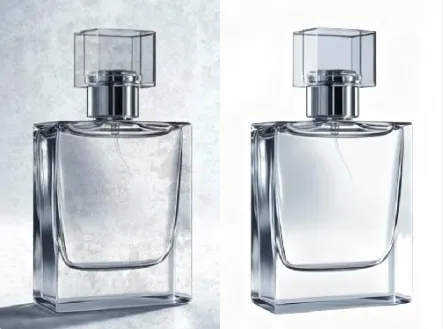
Boost image clarity instantly with Lossless Resizing AI Tools for crisp, ready-to-use assets.
A compact Lossless Resizing tool suite for upscaling, batch exports, and format-safe optimizations.

Real-World Applications
From indie creators to global teams, upgrade imagery without costly reshoots or complex toolchains.
E-commerce Brands
You scale product photos to fit multiple listing templates and keep every detail crisp for shoppers.
Professional Photographers
You revive client images and deliver gallery-quality prints from compressed originals in less time.
Marketing Teams
You prepare campaign assets across channels with consistent resolution and color, avoiding last-minute rescues.
Why Creative Teams Rely on This Generator
Turn raw uploads into publishable assets faster while retaining original detail and color fidelity.
Lossless Resizing AI Tools for Flawless Upscale
Preserve edges and texture while increasing resolution so your images look natural at larger sizes.
Zero-Compromise Quality
Keep original sharpness and avoid the smeared look of naive upscaling. Your images stay true to the source.
Lossless Resizing AI Tools Batch Mode
Process hundreds of files in one run to meet tight deadlines. You save hours on repetitive tasks.
Format-Smart Export
Auto-selects the best export settings for web, print, or social. Your files arrive ready for any platform.
Subtle Artifact Repair
Fix compression noise and soft focus without overprocessing. Photos regain clarity without looking edited.
Color and Tone Preservation
Maintain brand-accurate color and consistent tone across batches so assets remain campaign-ready.
How Can You Produce Studio-Quality Resized Images?
Your 3-step path to consistent, high-resolution visuals without a PhD in imaging.
- Step 1
Upload Your Source Files
You drag and drop photos or folders; the tool auto-detects formats and flags low-resolution assets.
- Step 2
Choose Quality and Output
You pick a target size and export profile; presets help if you want web, print, or social-ready files.
- Step 3
Batch Process and Download
You preview a sample, run the batch, and get optimized images with consistent sharpness and color.
Frequently Asked Questions
Are my uploads safe and private?
Can I export vector-friendly or transparent files for logos?
What about copyright and ownership after processing?
Does the tool handle branded variations and presets?
Can I recover detail from old, compressed images?
Complete Your Brand Toolkit