AI Tools

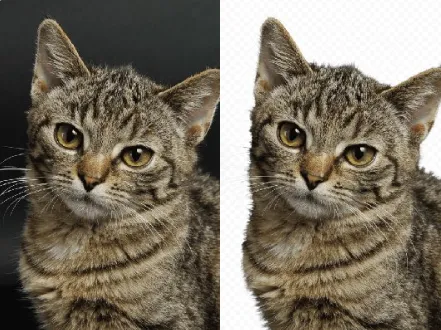
AI Image Sharpener Tool
Fix blur and restore detail instantly with AI Image Sharpener AI Tools.
Batch upscale, denoise, and fine-tune exposure for cleaner, higher-resolution images.

Real-World Applications
From indie sellers to agencies, make every photo work harder
E-commerce Brands
Turn imperfect product shots into crisp listings that increase conversions. Cut photography costs by relying on smart edits instead of reshoots.
Photographers
Rescue client images from motion blur or old archives. Deliver gallery-quality files without long editing sessions.
Social Media Managers
Polish visuals for fast-moving content calendars. Consistent sharpness keeps feeds feeling premium and clickable.
Why Creators Choose This Sharpener
Speed, fidelity, and consistency across every image
AI Image Sharpener AI Tools — Instant Detail Recovery
Restore texture and edges without the crunchy, oversharpened look. You get usable results for prints and feeds in one click.
Batch Processing for Headlines and Catalogs
Save time by fixing dozens of images at once. Your campaigns stay on schedule with consistent output.
Natural Noise Reduction
Remove grain while keeping fine detail intact. Low-light shots look cleaner without feeling processed.
Resolution Boost without Artifacts
Upscale images for large prints or tight crops. You preserve clarity where it matters most.
Local Tone and Exposure Control
Target shadows and highlights independently. Your subject remains the hero in every frame.
One-Click Presets, Custom Outputs
Start fast with smart defaults and refine with simple sliders. Export presets ensure repeatable brand-ready assets.
How can you sharpen a photo in three steps?
Your 3-step path to studio-quality clarity
- Step 1
Upload your image
You drag or select photos from your device or cloud so the process starts instantly.
- Step 2
Choose a preset and tweak
You pick a preset that matches your goal, then nudge sliders for denoise, sharpness, and upscale to suit your eye.
- Step 3
Export and deploy
You save export profiles for web, print, or social so your assets are ready in the right size and format.
Frequently Asked Questions
Can I use enhanced images for commercial projects?
Does the tool support transparent PNG exports for overlays?
How do I make sure color profiles stay consistent across edits?
Will aggressive sharpening create ugly artifacts?
What file types and max sizes are supported for export?
Complete Your Brand Toolkit