AI Tools
AI Change Color Tool
AI Change Color AI Tools that swap palettes instantly and save editing hours
A customizable tool suite for precise color edits, batch processing, and brand consistency

Real-World Applications
From studios to solo creators, make color work without extra shoots
E-commerce Brands
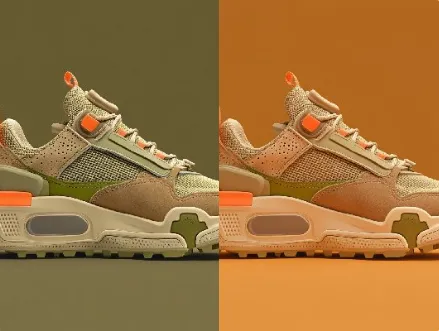
Swap product colors and generate dozens of SKU images without reshoots to speed listings.
Marketing Teams
Match campaign visuals to seasonal palettes and test variants quickly to improve CTR.
Photographers & Creators
Fix color casts and craft consistent portfolios that feel cohesive across platforms.
Why Creative Teams Choose This Color Engine
Move from guesswork to consistent color stories across every asset
Speed-First Batch Recoloring
Turn hours of manual edits into minutes so you ship campaigns faster and cut costs.
AI Change Color AI Tools — Brand Palette Lock
Keep logos and product shots aligned with your identity across formats and channels.
Natural-Looking Tone Matches
Colors blend without halos or harsh edges, preserving texture and detail in every image.
AI Change Color AI Tools — One-Click Presets
Save and apply complex color profiles to batches, keeping every variation coherent.
Selective Area Control
Target shadows, midtones, or highlights so edits feel handcrafted, not automated.
Export-Ready Outputs
Produce web and print-ready files with embedded profiles and naming conventions you define.
How Can You Recolor a Set of Product Photos?
Your 3-step path to studio-quality, brand-consistent images
- Step 1
Upload Your Images
You add your photos or mockups in bulk, and the tool analyzes tones so you don’t start from scratch.
- Step 2
Choose or Create a Palette
You pick a preset or fine-tune a palette with sliders and preview directly on each image.
- Step 3
Export Variants
You batch-export named files for web and print, ready to publish or hand to your designer.
Frequently Asked Questions
Can I keep my brand colors exact across different images?
Is it safe to export with transparent backgrounds for logos?
Will the edits hold up for large prints or only web?
Do I need a designer to use advanced masking features?
How do I manage rights and exports for client assets?
Complete Your Brand Toolkit