AI Tools

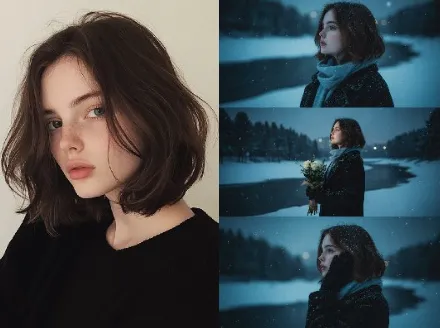
AI Goth AI Filter AI Tools Generator
Transform moody portraits with Goth AI Filter AI Tools, fast and customizable
Goth AI Filter tool suite for high-quality gothic styling, custom presets and batch workflows

Real-World Applications
From indie creators to boutique brands, elevate visuals with minimal effort
Fashion Photographers
Shoot fewer angles and use the filter to craft a signature seasonal look. You reduce retouch time and increase publish-ready output.
Indie Game Developers
Apply atmospheric portraits and cover art that match your narrative tone. Your marketing assets gain instant mood alignment.
Social Creators & Influencers
Create a consistent gallery aesthetic that fans recognize. You build a stronger visual identity without constant reshoots.
Why Creators Prefer This Filter Suite
Quick, reliable edits that preserve personality and speed up your pipeline
Mood-Perfect Presets
Choose from curated gothic profiles that match lighting and skin tones. Save time with one-click transformations tailored to your vision.
Fine-Grain Contrast Control
Dial shadows and highlights without crushing detail. Keep texture while deepening mood for cinematic results.
Goth AI Filter AI Tools: Batch Consistency
Apply the same look across hundreds of images to maintain brand continuity. Your campaigns and feeds stay visually cohesive.
Skin Tone Respect
Automatic smart masking protects natural skin hues. Deliver moody styling without losing lifelike warmth.
Fast Export Options
Export presets, PNGs, or layered files in moments. Spend minutes, not hours, on final delivery.
Creative Masking Tools
Paint or auto-select regions for targeted effects. Focus drama where it matters and keep other areas pristine.
How Can You Create a Gothic Look in Minutes?
Your 3-step path to moody, brand-ready images
- Step 1
Upload Your Photo
You drag and drop a file or select a batch. The system analyzes lighting and suggests a base profile for you.
- Step 2
Choose or Tweak a Preset
You pick a preset that matches your mood and adjust sliders for contrast, warmth, and vignette. Your edits preview in real time so you can iterate fast.
- Step 3
Export and Share
You export in the format you need and apply the same preset to other images for consistency. Your assets are ready for web, print, or socials.
Frequently Asked Questions
Can I export images for commercial use?
Will my original photo be altered permanently?
Does this work on low-resolution photos?
Can teams share the same presets and workflows?
Complete Your Creative Toolkit