AI Tools
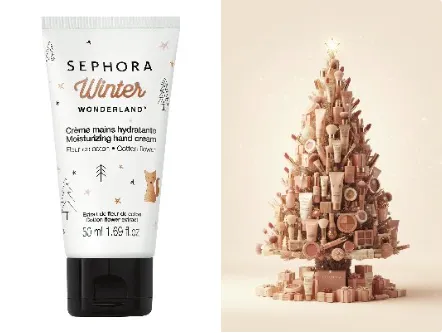
AI Christmas Poster AI Tools Generator
AI Christmas Poster AI Tools craft high-impact holiday posters in minutes, no design skills.
Customizable templates, print-ready exports, and fast branding workflows for seasonal campaigns.

Real-World Applications
From small shops to agencies, apply festive visuals where they drive engagement and revenue.
Small Retailers
Produce window posters and social ads without hiring a studio. Sell more seasonal items with clear, themed calls to action.
Marketing Teams
Spin up campaign variants for email, socials, and in-store quickly. Test visuals and messaging to improve conversion during peak weeks.
Event Organizers
Design event posters, tickets, and stage backdrops with matching visuals. Keep a unified aesthetic from promotion to showtime.
Why marketers prefer seasonal poster tools
Create branded holiday visuals quickly and keep campaigns consistent across channels.
AI Christmas Poster AI Tools — Quick Festive Templates
Jumpstart designs with ready-made layouts that match holiday moods. You save time and keep campaigns on schedule.
Smart Layout Auto-Adjust
Layouts adapt as you swap images or text so nothing gets cut off. Your posters always look composed and professional.
Brand Color and Font Lock
Lock your palette and typography so every poster matches your identity. This keeps brand recall high across channels.
One-Click Export Presets
Export presets prepare files for print, Instagram, and email at the right resolution. You avoid rework and missed deadlines.
Localized Copy Variants
Generate multiple language variants from one layout to reach regional audiences. You scale messaging without extra design hours.
Layered Files for Designers
Download layered assets for advanced tweaks in your editor. Collaboration between marketers and designers becomes smoother.
How can you create a standout holiday poster quickly?
Your 3-step path from concept to ready-to-publish asset.
- Step 1
Choose a template
You pick a festive base that fits your message and audience. Templates are labeled by mood and output format so you don’t guess.
- Step 2
Customize visuals and copy
You replace images, tweak text, and lock brand colors. The layout adapts as you edit so spacing and hierarchy stay intact.
- Step 3
Export and publish
You select export presets for print or social and download high-resolution files. Then you deploy across channels and track engagement.
Frequently Asked Questions
How fast can I export a poster?
Can I upload my own logo and images?
Are the generated images safe to use commercially?
What file types are available for download?
Do you support custom dimensions and bleed settings?
Complete Your Creative Toolkit