AI 工具
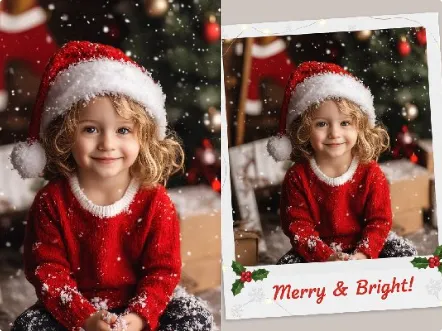
AI Polaroid Photo Generator
Create nostalgic holiday prints fast with Christmas Polaroid Photo AI Tools.
One-click vintage filters, instant frame layouts, and gentle restoration for memories that feel warm and real.

Real-World Applications
From small makers to family archivists, turn photos into touchable memories.
Independent Creators
Design limited-run Polaroid giftpacks for holiday markets without hiring a photographer.
Event Photographers
Deliver themed keepsakes quickly by applying frame presets and batch exporting client galleries.
Family Archivists
Restore and reprint old holiday images so stories pass to the next generation in lovely, tangible form.
Why Creators Choose This Tool
Turn stray holiday shots into shareable, giftable prints without a studio or steep learning curve.
Christmas Polaroid Photo AI Tools for Instant Nostalgia
Bring back that warm, analog feel with presets that mimic real film borders and fading. Save those looks as templates for quick batches.
Christmas Polaroid Photo AI Tools Frame Builder
Customize borders, captions, and stamps to make each print feel personal. Your layouts export at print DPI for crisp results.
Quick One-Click Restoration
Remove dust, soften scratches, and recover color with a single action. Save time while keeping the soul of the photo intact.
Smart Upscale Without Artifacts
Enhance resolution for large prints while preserving texture. Avoid the waxy look of typical upscalers.
Batch Export and Preset Sync
Apply a saved style to dozens of images and export in one go. Perfect for holiday cards or craft projects.
Intuitive Controls for All Skill Levels
Tiny sliders make big changes simple, and guided tips help you avoid over-editing. You get consistent, professional-looking results.
How Can You Make a Perfect Polaroid-Style Holiday Print?
Your 3-step path to cozy, print-ready instant photos.
- Step 1
Upload Your Photos
You select a few favorite holiday snaps and drag them into the app; your images appear as editable frames.
- Step 2
Choose a Preset and Tweak
You pick a nostalgic preset, then adjust grain, color warmth, and border wear until the image feels right.
- Step 3
Export and Print
You export at the needed DPI or batch export an entire set, then send files to print or share online.
常見問題
Are edits legally safe to share on social?
Can I remove backgrounds or prepare files for a print shop?
Will upscaling make my photos look fake?
Can I add client logos or save brand-specific frames?
Does it handle large batches without locking your computer?
Complete Your Creative Toolkit